
eViewer v7 vs IBM Daeja ViewONE — Which Document Viewer Fits Your Stack?
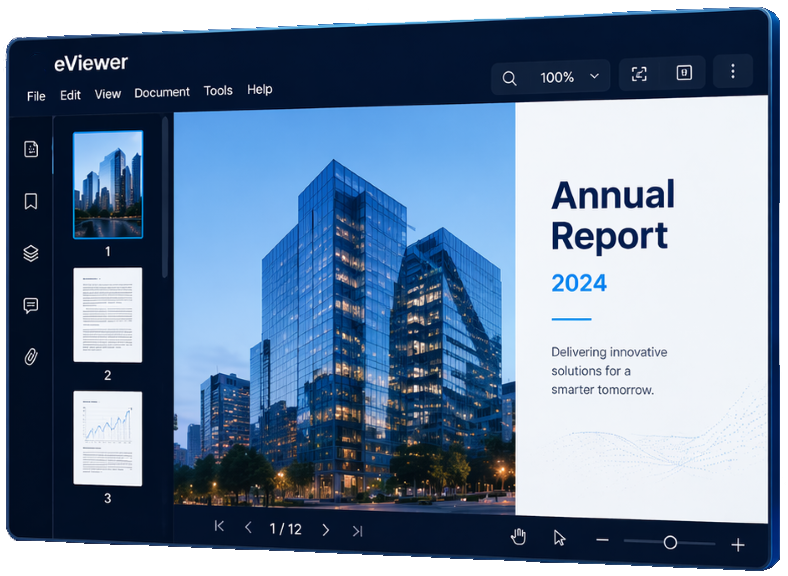
If your organization runs on IBM Content Navigator, IBM FileNet P8, or IBM Content Manager, IBM Daeja ViewONE will show up as the default viewer option. It is easy to stick with what is already bundled in. But “free” only stays free if the viewer can actually do what your users, your developers, and your compliance team need it to do.
eViewer v7 starts from a different assumption: any repository, any application, and any multiple of advanced customizations to enable your organization to excel in your business.
The following is a side by side look at where the two document viewers actually differ, feature by feature, so you can make the call with real information instead of a default setting.
eViewer v7 vs. IBM Daeja ViewONE at a Glance
| eViewer v7 | IBM Daeja ViewONE | |
| Backend / repository | Any ECM or repository via APIs – IBM Content Manager 8, IBM FileNet P8, OpenText Documentum, Hyland Alfresco, Microsoft SharePoint, Salesforce, and more | IBM Content Navigator connected repositories only (IBM CM8 and FileNet P8) |
| Frontend | Fully customizable, embeds into any application | Must be built and configured within IBM Content Navigator |
| Deployment | Cloud, on-premises, or hybrid | Server-based, tied to your IBM Content Navigator deployment |
| Mobile support | Responsive on any browser and device | Limited mobile support |
| Licensing | Licensed enterprise software with dedicated technical support | Bundled at no additional cost with IBM Content Navigator |
| Rendering | Hybrid client/server rendering; native in-browser display with minimal server round-trips for fast, responsive performance | Slower rendering under heavy document loads |
| AI-ready | Ready for the AI revolution with ability to connect to Google Gemini, OpenAI ChatGPT, Anthropic Claude, and other various AI models | Not AI-ready |
The Technology Difference That Actually Matters
The biggest difference between eViewer v7 and IBM Daeja ViewONE is not a single feature- it is how each viewer interacts with your stack. eViewer was built to sit in front of whatever repository your organization uses today, or migrates to later. IBM Daeja ViewONE was built to sit inside IBM Content Navigator and only be used with Content Navigator compatible systems.
eViewer v7 Architecture
- It’s a zero footprint viewer, no application download, plugin, or client side installation required, with RESTful and JavaScript APIs that let developers embed it into any application or ECM.
- Deploys on-premises, in the cloud, or across a hybrid environment.
- Administrators customize the UI and available features through a UI preferences configuration file, without touching application code.
IBM Daeja ViewOne Architecture
- Runs within IBM Content Navigator and is configured through the Content Navigator administration tool.
- Available to connect to only IBM repositories, including IBM FileNet, Content Manager 8, and IBM Content Manager OnDemand.
- No customizations and only basic UI configurations available.
Feature Comparison : eViewer v7 vs IBM Daeja ViewONE
| eViewer v7 | IBM Daeja ViewONE | |
| File format range | 100+ file format support, including PDF, MODCA, Microsoft Office files, image files, AFP, CAD, and a lot more | PDF, Microsoft Office documents, and image files, per IBM’s supported viewer list |
| AI Document Intelligence | Actively expanding AI-assisted search & document intelligence such as Data Extraction & Classification, Document Summarization, Smart Redaction, Document Comparison, and more | No support for AI features |
| Collaboration | Real-time collaboration with permission-based control over who can view, add, or hide annotations and redactions | Supports viewing and annotating, but without permission-based collaboration controls |
| Mobile experience | Responsive viewer that runs on any modern browser and device, including phones, tablets, and desktop | Limited mobile support |
| Redaction | Manual and AI-assisted redaction that automatically detects and conceals sensitive data | Manual redaction available through the document builder edit mode |
| Page Manipulation | Full browser-based manipulation: drag-and-drop, page reordering, page deletion, merging, splitting, and rotating | Supports basic zoom and rotation, but does not allow document assembly/page restructuring |
| Digital Signatures | eSign and collect digital signatures, with the signer’s digital certificate attached to verify document validity | No native support for digital signature workflows. |
| Integration Flexibility | Out-of-the-box support for Documentum, FileNet, Salesforce, SharePoint, Alfresco, and more | Locked into IBM Content Navigator middleware |
| Measurement & Calibration | Measurement Tool with custom scale calibration, live preview, scale library, and a lot more | Basic pixel ruler. No custom calibration scales, scale library, or engineering precision |
| Audio & Video Multimedia Player | View and comment on multimedia files such as (MP3, AVI, MP4, and more) directly inside the secure viewer | None. Strictly limited to static document and image formats |
| Exposed REST & JavaScript APIs | Fully documented, rich API framework for programmatic viewer and annotation control | Highly restricted, internal APIs difficult for developers to customize |
| Security & Compliance | Built around GDPR, HIPAA, and WCAG frameworks | Lacks advanced responsive mobile support, robust keyboard navigation, or screen reader optimizations |

Frequently Asked Questions
Ready to See eViewer in Action?
Talk to the MST team to request a live demo, ask a technical question, or discuss migrating from IBM Daeja ViewONE to eViewer v7.